How do I import an Excel file to this software?
20/03/13 09:29
Answer: To Import data from an Excel file...
1. Launch My Art Collection (full or trial) and choose the File/ Import Records/File option.
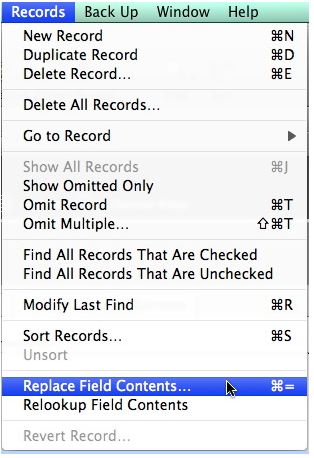
2. Choose the file type to import.
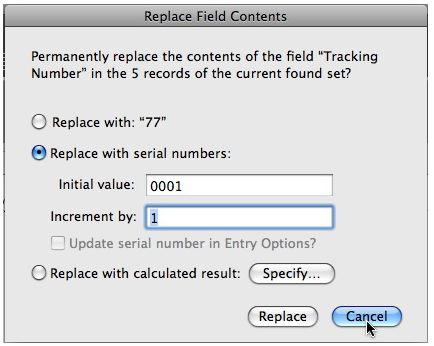
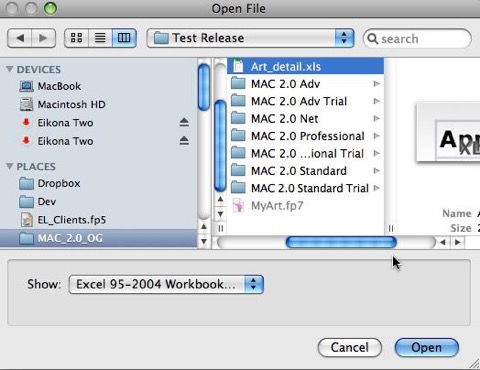
3. Choose your file.
2. Use the field mapping feature to map your data to the available fields. Slide the fields on the right to match your data on the left. Note, if you don’t already have it, add the field title to the first line of your excel sheet. I.e. Arts Name, Medium etc. Titles of the column help you map it to our available fields.
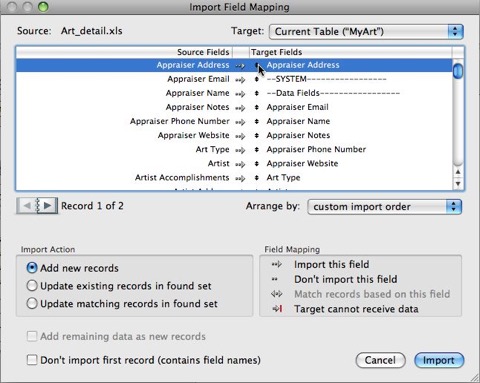
4. Leave the default setting of "Add New Record" in the "Import Action" section as is.
5. Click the Import Button.
6. An "Import Options" Dialog Box will appear. Leave all options unchecked and Click OK.
Note: If doing this on the My Art Collection Trail, your data will be delete on closing. Test the product fully while open then once finished, close the program.
1. Launch My Art Collection (full or trial) and choose the File/ Import Records/File option.
2. Choose the file type to import.
3. Choose your file.
2. Use the field mapping feature to map your data to the available fields. Slide the fields on the right to match your data on the left. Note, if you don’t already have it, add the field title to the first line of your excel sheet. I.e. Arts Name, Medium etc. Titles of the column help you map it to our available fields.
4. Leave the default setting of "Add New Record" in the "Import Action" section as is.
5. Click the Import Button.
6. An "Import Options" Dialog Box will appear. Leave all options unchecked and Click OK.
Note: If doing this on the My Art Collection Trail, your data will be delete on closing. Test the product fully while open then once finished, close the program.

